does grayscale mode actually reduce screen time?

Grayscale mode screen time strategies aim to make your phone less visually stimulating, potentially reducing how much you use it. However, the scientific evidence is mixed, and results can vary widely from person to person. This article examines what grayscale mode is, how it works, and what we actually know about its impact on screen time.
Grayscale mode is a display setting that removes all color from your phone’s screen, making it appear in shades of gray. The goal is to make apps and content less visually appealing, which may help some people reduce screen time, but research on its effectiveness is limited and results are mixed.
key takeaways
- Grayscale mode removes color from your phone display to reduce visual stimulation.
- Evidence that grayscale mode reduces screen time is limited and mostly anecdotal.
- It may help some people notice and break automatic app-checking habits.
- Combining grayscale mode with other tools, like usage tracking, may be more effective.
what is grayscale mode?
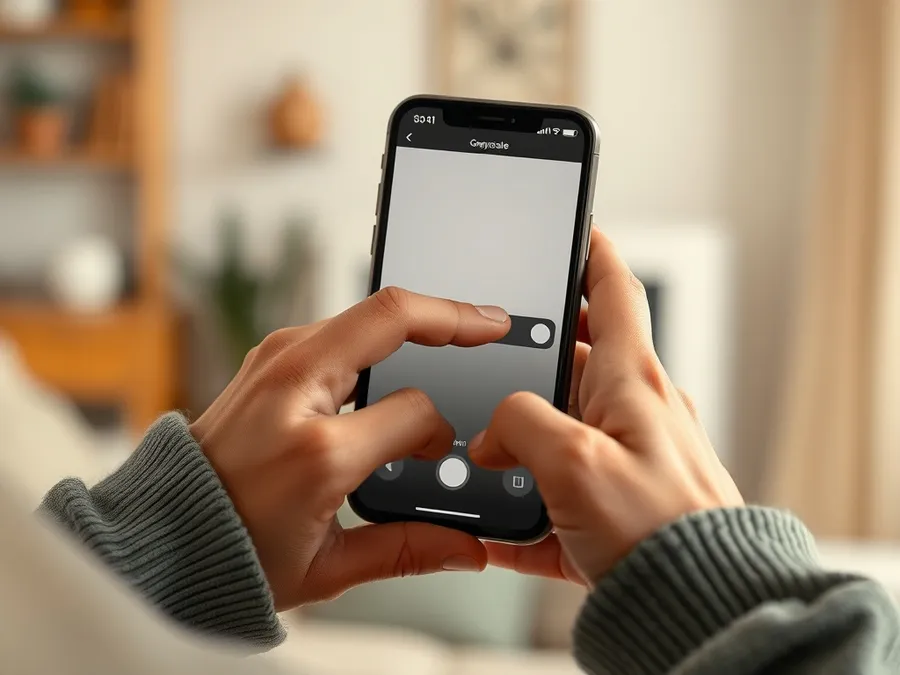
Grayscale mode is a phone display setting that turns all screen content to shades of gray, removing all color. On an iPhone, this can be enabled through the device’s accessibility settings. The intent is to make the screen less engaging so that apps and notifications are less likely to draw you in.
The feature was originally designed for accessibility, helping people with visual needs, but has since been adopted by some for digital wellbeing. Many users try grayscale mode to reduce their time spent on visually rich social media apps.
how does grayscale mode work to affect screen time?
Colorful icons, photos, and videos are designed to catch your eye and hold your attention. By removing these colors, grayscale mode makes your phone look duller and less inviting. This can disrupt the reward cycle triggered by bright visuals, which some people find helpful for reducing mindless scrolling.
On iPhone, you can set up grayscale mode and even link it to shortcuts for quick toggling. Some apps, like Pauza, also encourage time away from the screen in other ways, such as rewarding time spent offline.
It’s important to note that grayscale does not block access to apps or notifications; it only changes how they look.
- Grayscale removes color, making apps and notifications appear less stimulating.
- This may disrupt habits formed around visually rewarding content.
- Users report that social media and games feel less appealing without color.
what does the evidence say about grayscale mode screen time?
There is little rigorous scientific research specifically on grayscale mode’s effect on screen time. Most support comes from personal reports and small experiments. Some users say they check their phones less when it’s in grayscale, but others find the effect fades as they adapt.
Anecdotes suggest grayscale mode can break the habit of reflexively opening apps, but it is unlikely to have a dramatic impact on its own. Screen time is influenced by many factors, including habit, social context, and app design.
According to DataReportal, the average internet user spends 2 hours and 21 minutes on social media every day, highlighting the scale of the challenge. Tools like grayscale mode may help, but they are not a cure-all.
- No large-scale studies have proven grayscale mode reduces screen time.
- Most evidence is from user self-reports and small, short-term trials.
- Grayscale may help some people become more aware of their habits.
how to try grayscale mode on your iphone
If you want to see if grayscale mode works for you, it’s easy to set up on iOS. Here’s how to enable it:
1. Open Settings > Accessibility > Display & Text Size > Color Filters.
2. Turn on Color Filters, then select Grayscale.
You can also set up a shortcut for quick toggling: go to Settings > Accessibility > Accessibility Shortcut, and select Color Filters. Triple-click the side button to turn grayscale on and off.
Consider combining grayscale mode with other digital wellbeing strategies. For example, you might track your screen time, set app limits, or use a tool like Pauza that rewards you for time spent away from your phone. This can help you notice patterns and make more mindful choices.
- Enable grayscale in Accessibility > Display & Text Size > Color Filters.
- Set up a shortcut for easy toggling with the side button.
- Pair grayscale with screen time tracking or app timers for better results.
common misconceptions about grayscale mode
Many people believe that grayscale mode will automatically and dramatically cut their screen time. In reality, its effects are often modest and may decrease as you adjust to the look.
Grayscale mode does not block or limit apps. It only changes how they appear. Some users find it just makes the experience less enjoyable, while others quickly get used to the lack of color.
It’s also a misconception that grayscale mode is a replacement for more comprehensive digital wellbeing tools. For lasting change, combining it with other methods is usually more effective.
other tools and next steps for reducing screen time
Grayscale mode can be a useful experiment, but for most people, it works best as part of a broader digital wellbeing strategy. Consider using features like Screen Time to set app limits, or scheduling downtime during certain hours.
Apps that encourage mindful phone use, like Pauza, can provide additional structure and motivation. Pauza, for example, lets you earn tokens for time spent off your phone, track streaks, and even challenge friends to see who can achieve the lowest screen time. This kind of positive feedback can make it easier to stick with your goals.
Ultimately, reducing screen time often requires a mix of awareness, motivation, and practical tools. Try different strategies, track your progress, and notice which changes help you most.
by the numbers
- The average internet user spends 2 hours and 21 minutes on social media every day.— DataReportal, Digital 2025
Curious to see if time away from your phone feels different? Try Pauza on your iPhone and see how changing your habits can be rewarding.
Get Pauza on iPhone
frequently asked questions
does grayscale mode actually reduce screen time?
For some people, grayscale mode can reduce their screen time by making the phone less visually appealing. However, research on its effectiveness is limited, and the impact varies from person to person.
how do I enable grayscale mode on my iPhone?
Go to Settings > Accessibility > Display & Text Size > Color Filters, turn on Color Filters, and select Grayscale. You can also set it as a shortcut for quick access.
is grayscale mode enough to break phone addiction?
Grayscale mode alone is usually not enough to significantly reduce phone addiction. It can be a helpful nudge, but combining it with other strategies, like app limits or usage tracking, is more effective.
will grayscale mode affect all apps on my phone?
Yes, enabling grayscale mode affects the entire screen, so all apps and content appear in shades of gray.
can I use grayscale mode together with other digital wellbeing tools?
Absolutely. Many people pair grayscale mode with features like Screen Time, app limits, or apps like Pauza for better results.
does grayscale mode save battery life?
On most modern phones with LCD or standard OLED screens, grayscale mode does not significantly affect battery life. Its main effect is on the visual experience, not power usage.
free tools
- screen time calculator — see what your daily hours add up to over a year
- average screen time statistics — how your usage compares to the latest data
- phone habit test — a 2-minute check of your phone habits