Screen time app · now in early access

take your screen time back. then challenge a friend.

Pauza is a screen time app for iPhone that rewards you for spending less time on your phone — every minute off social earns tokens you can bet against a friend, where the lowest screen time wins the pot.

✓ Free forever · iPhone · no sign-up to try · rewards are in-app — no crypto, no catch
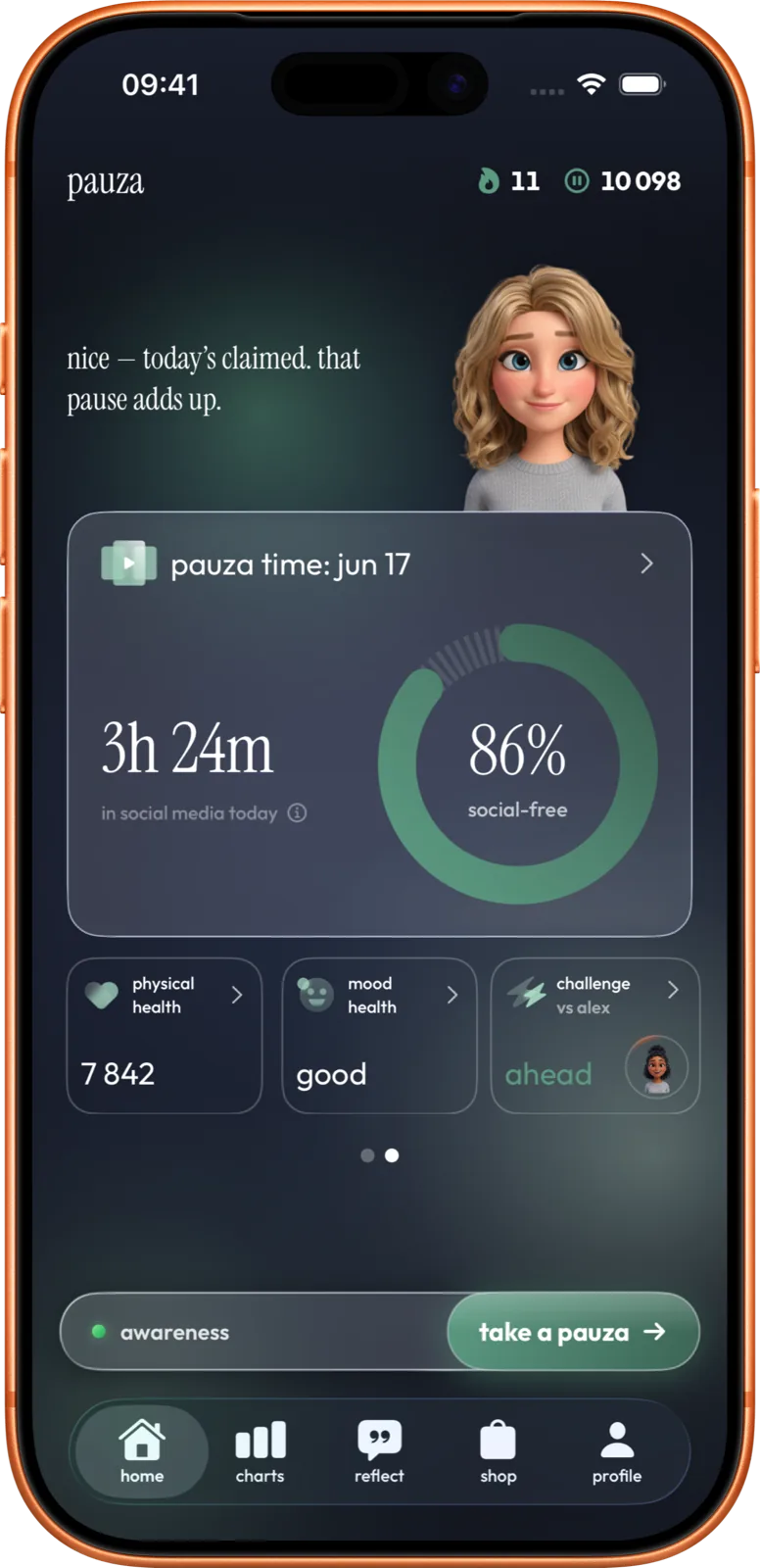
Pauza app home screen — daily social time, tokens, and a live friend challenge
4.2h
avg daily phone use
57%
fewer app opens with friction · PNAS '23
15
Aura levels to climb
Free
to start


don't punish. reward.

Every minute off social media becomes tokens, streaks, and a growing Aura.

Pick your apps

Instagram, TikTok, X — fully automatic via Apple Screen Time.

Earn tokens for silence

Every minute off social = tokens. Streaks multiply them.

Climb the Aura ladder

15 levels, from Dust to Lumen. Each a milestone worth keeping.

Challenge your friends

Commit tokens. Less scrolling wins. Loser pays the winner.

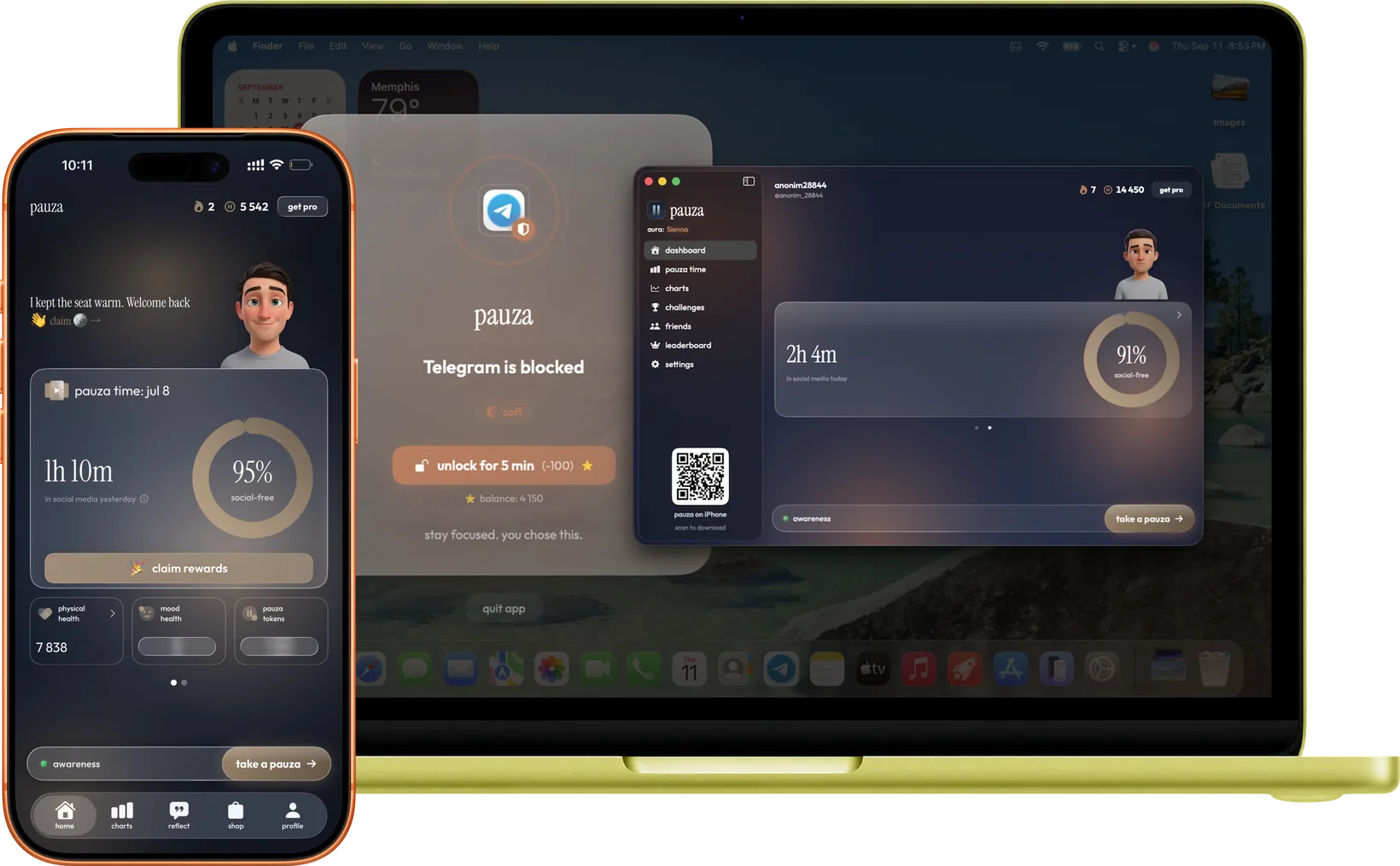
available on iPhone and Mac.

Your daily score follows you across devices — scrolling on the big screen counts too, and blocks stay in sync.

pauza on iPhone and Mac — blocked app screen and synced dashboard
Explore everything Pauza does

blockers punish. pauza rewards.

Timers annoy you, blockers get deleted, willpower runs out by day three — nearly half of people feel they're on social too much, and 44% have already tried to cut back.1 So Pauza flips it: the less you scroll, the more you earn. You don't fight your phone — you outgrow it.

Yours Lost to scroll Reclaimed
0 min
you could reclaim daily in Awareness mode · about 0h a year2

Your phone, your tempo. Three modes. Flip any time.

1 Pew Research Center, “Teens, Social Media and Technology 2024” — 45% feel they spend too much time on social media; 44% have tried to cut back. 2 Estimate based on the global average of 2h 23m on social media per day (DataReportal · GWI, Digital 2024) and the range of reductions reported in friction-based screen-time research. Individual results vary.

quitting social is now a sport.

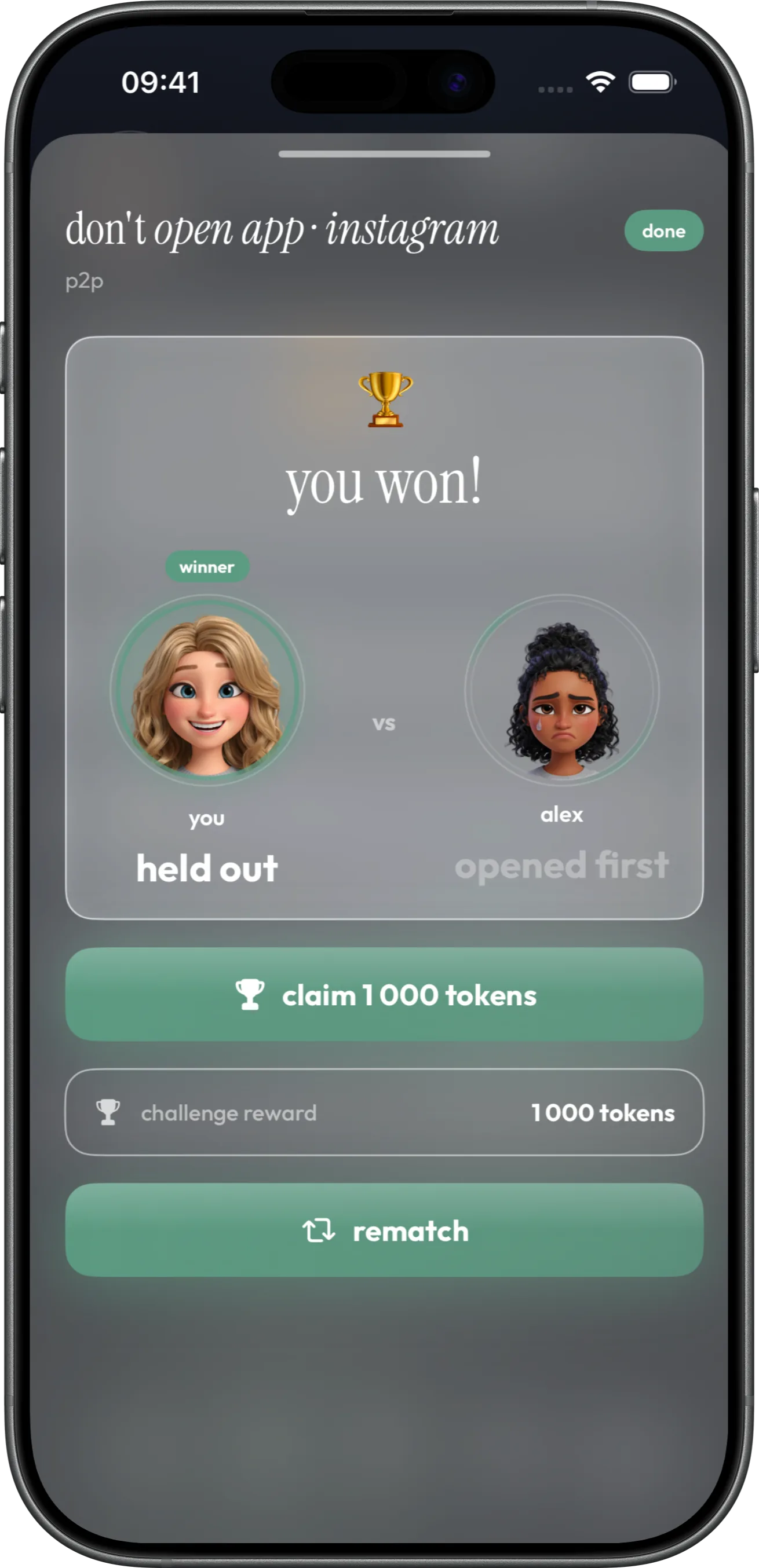
Both commit tokens. Less scrolling wins the prize. ×5 more effective than solo goals.

Pauza live challenge on iPhone
🎯

Commitments that actually sting

You grind for every token by staying off social. Lose and it hurts. Win and you double up.

📊

Automatic referee

No self-reporting. Exact numbers from Apple Screen Time. Cheating is impossible.

👥

Call out the group chat

Send a 1v1 challenge in 3 taps. Live bars show who's ahead in real time.

×5 more effective than solo

Social accountability multiplies habit formation by . Willpower breaks. Pride doesn't.

1
Pick a friend

Choose your opponent, duration (1 / 3 / 7 / 14 days) and commitment.

2
They accept

Both commitments are locked into escrow. Challenge starts at midnight.

3
Live tracking

Both of you see live scroll-time totals. Dynamic Island shows who's winning.

4
Winner takes prize

When it ends, whoever scrolled less wins the full prize — 2× their own commitment in tokens.

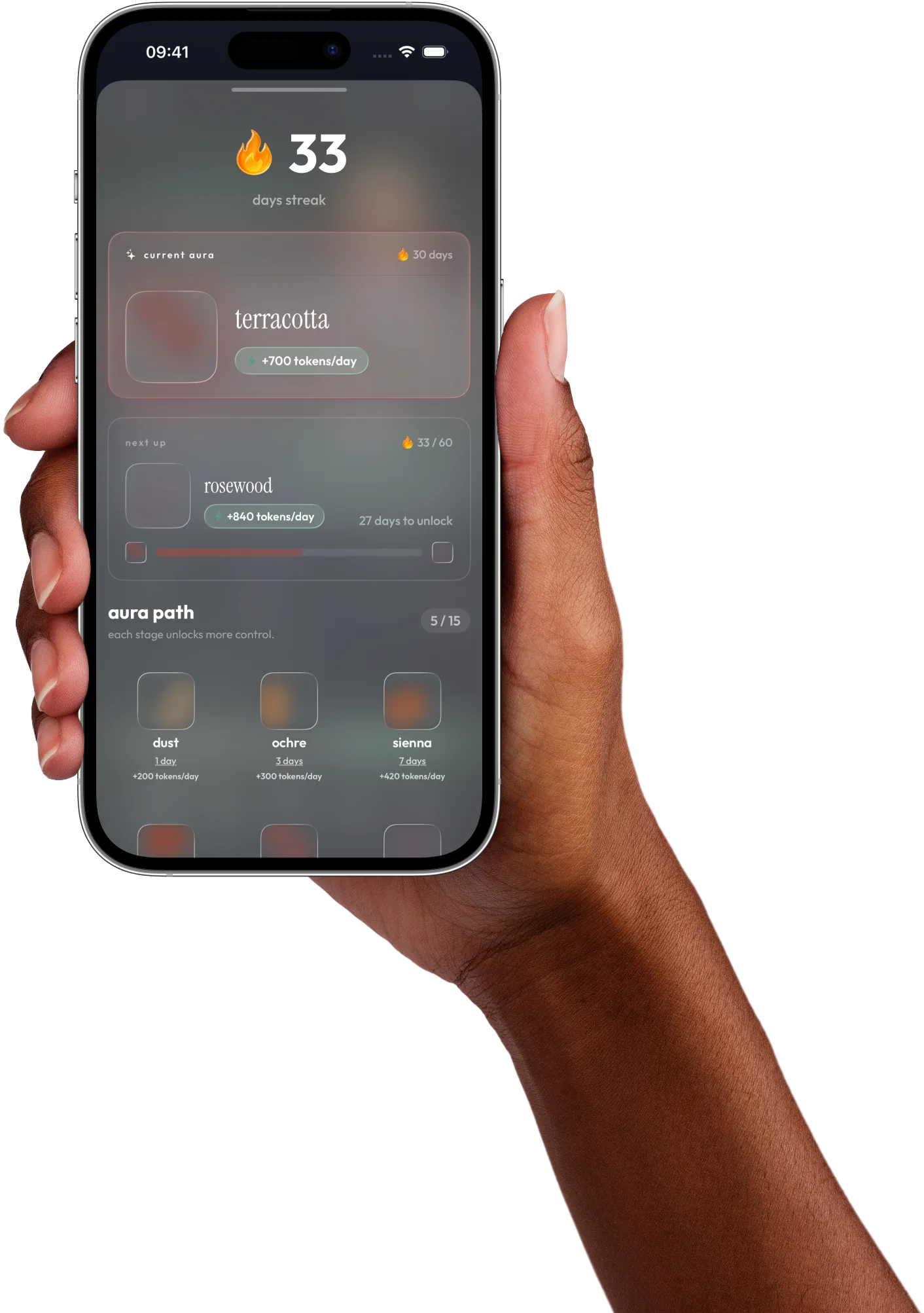
from dust to light.

15 levels — an artistic map of your journey. Tap one and watch it color the whole page.

Each transition releases bonus tokens.

Pauza Aura on iPhone

start free. upgrade when it clicks.

The full experience is free. PRO lifts the caps — unlimited Hard Mode, unlimited challenges, auto-claim, and weekly & monthly analytics.

Free

$0forever
  • Full Screen Time tracking
  • All 15 Aura levels & streaks
  • 1 friend challenge
  • 1 Hard Mode block a day (up to 4 hours)
  • Claim tokens by hand
  • Avatar shop
Download free

everything you might ask.

Is Pauza just another blocker?

No. It adds gentle friction and rewards you for staying off — so it doesn't trigger the rejection reflex that kills blockers.

Can I cash out my tokens?

No. Tokens have no cash value — spend them on Hard Mode, the shop, and challenges. Intrinsic motivation, not cashback.

How does screen-time tracking work?

Apple's DeviceActivity API (iOS 26+). Raw data never leaves your phone — we only sync the aggregates needed for tokens.

How do I set up Screen Time permissions?
  1. Download Pauza from the App Store and open it.
  2. During setup, tap Continue when Pauza asks for Screen Time access — that's Apple's Family Controls permission.
  3. Tap Allow on Apple's system prompt (authenticate with Face ID or your passcode if asked).
  4. Pick the social apps you want Pauza to track and block.
  5. Done — your daily minutes start counting toward tokens right away.

If blocking ever stops working, go to Settings → Screen Time, confirm Pauza has access, then reopen the app.

How do I create my first challenge?
  1. Open Pauza and go to the Challenges tab.
  2. Tap New challenge and choose 1v1 (a friend) or solo.
  3. Pick your opponent, the length (1, 3, 7 or 14 days) and how many tokens to commit.
  4. Send it — your friend gets an invite. Both commitments lock into escrow when they accept.
  5. The challenge starts at midnight; watch live scroll-time totals in the app and the Dynamic Island.
  6. Whoever scrolls less when it ends wins the pot — 2× their own commitment in tokens.
What happens if I lose a challenge?

Your committed tokens move to the winner. No cash — but you earned them by staying off social, so it stings. That's why it works.

Is the app free?

Yes, the core experience is completely free. There's a Pro tier with unlimited Hard Mode, unlimited challenges and weekly & monthly analytics — but most features work without it.

Is Pauza available on Android?

iOS only for now. Android is on the roadmap — but only once we can match the tracking quality Apple's DeviceActivity API gives us.

Take back your time.

Download Pauza and start earning your time back.

Download on App Store

check your own numbers

screen time, focus & digital wellbeing

Read the blog